top of page
Acasă
Acasă
New Page
New Page
New Page
New Page
New Page
New Page
New Page
New Page
New Page
New Page
New Page
New Page
New Page
New Page
New Page
New Page
New Page
New Page
Magazin
Comerț
Comercial
Landing Page
Landing Page
Landing Page
New Page
New Page
New Page
New Page
New Page
Support Center
New Page
New Page
New Page
New Page
RAR Life
New Page
Despre
a lua legatura
New Page
New Page
New Page
T&C
Asistență pentru clienți
Livrare & Returnare
Blog
Planuri și prețuri
New Page
New Page
New Page
Provocări
Părere
Card cadou
Locuri de munca
App
Accesorii
New Page
Loyalty
Shop
Refer Friends
Sign In
Learn More
Roborock
Qrevo MaxV
Roborock
EN, AR, BG, DE, ES, FR, HI, IT, NL, PL, PT, RO, SQ, SV, TR, UK, ZH
FCC User Manual (PT-BR)
FCC User Manual (EN, FR, ES)
FCC Product Diagram
FCC Safety Guidelines & Certification (EN, FR, ES, PT-BR)
CE User Manual (DE)
CE User Manual (SV)
CE User Manual (ES)
CE User Manual (EN)
CE User Manual (NO)
CE User Manual (PL)
CE User Manual (PT)
CE User Manual (FI)
CE User Manual (FR)
CE User Manual (IT)
CE User Manual (NL)
CE Product Diagram
Does Qrevo MaxV support obstacle photo view?
Qrevo MaxV water tank and mopping system
Qrevo MaxV tank volume
Qrevo MaxV runtime
Qrevo MaxV dustbin volume
Qrevo MaxV compared with Qrevo
Qrevo Plus, Pro and MaxV comparison
Qrevo Master, Pro and MaxV comparison
Qrevo MaxV accessory compatibility
Four Carpet Avoidance Modes
Filter efficiency
Main brush type
Water in dock waterway
Device positioning
Dock auto-dry function
Detachable cleaning tank
Adjust water flow in app
Q Revo mopping system
Fast route and wall-edge coverage
Cleaning along floor direction
Adjust drying duration
QR code for Wi-Fi connection
Qrevo MaxV Maintenance
How the Qrevo MaxV Dock Works
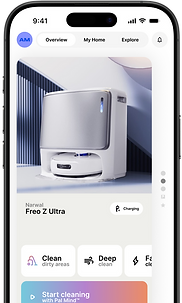
On mobile? Use the MyRAR app.
Use the MyRAR app to connect, explore, use, learn, and more, plus easy access to manuals.
Learn More
bottom of page