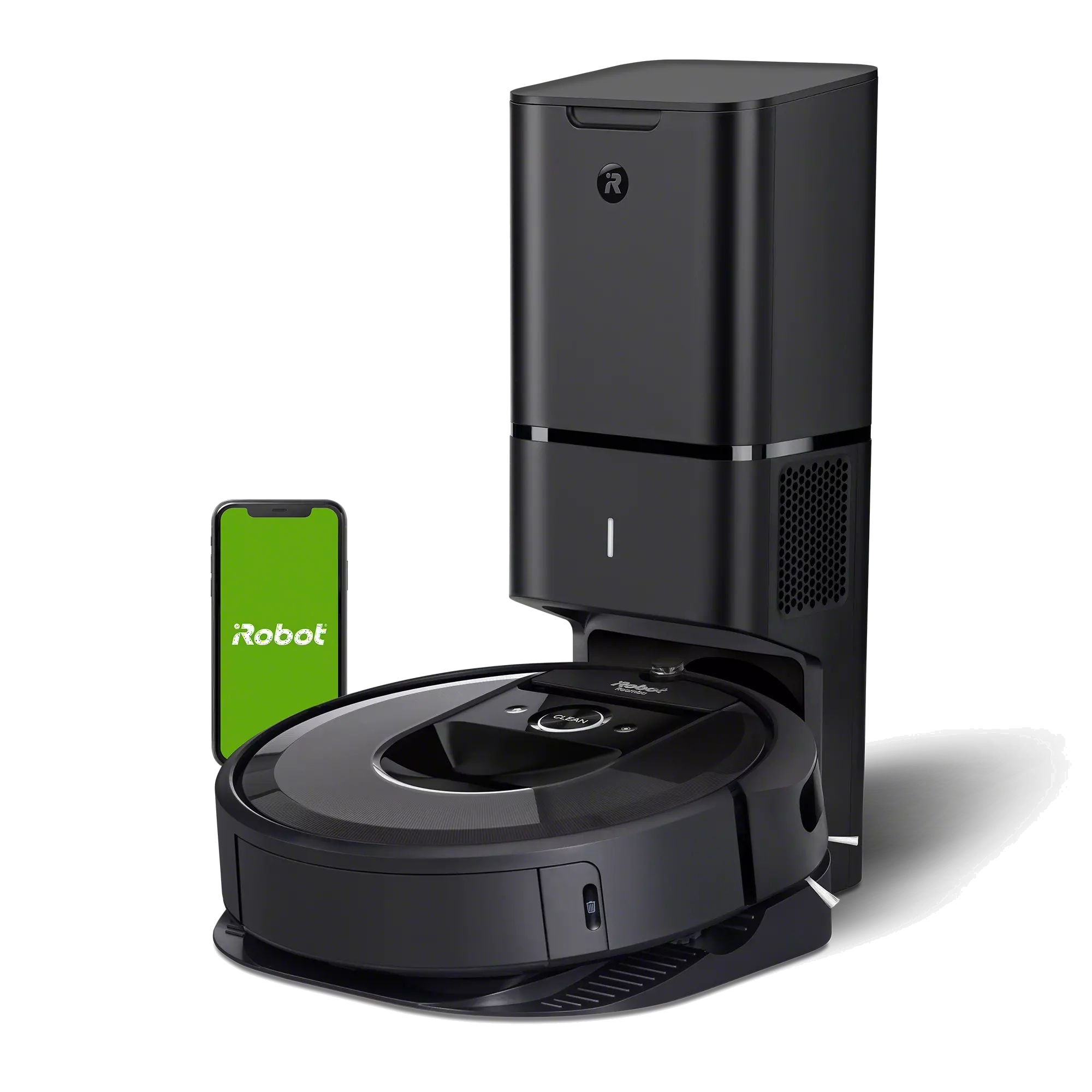
Roomba i7 Robot Owner's Guide (EN-GB)
Resource text
Owner’s Guide i7
EN This is the safety alert symbol. It is used to alert you to potential physical injury hazards. Obey all safety messages that follow this symbol to avoid possible injury or death. WARNING: When using an electrical appliance, basic precautions should always be followed, including the following: WARNING: To reduce the risk of injury or damage, read and follow the safety precautions when setting up, using, and maintaining your robot. This appliance can be used by children aged from 8 years and above and persons with reduced physical, sensory, or mental capabilities or lack of experience and knowledge if they have been given supervision or instruction concerning use of the appliance in a safe way and understand the hazards involved. Children shall not play with the appliance. Cleaning and user maintenance shall not be made by children without supervision. Safety Information Important Safety Information READ ALL INSTRUCTIONS SAVE THESE INSTRUCTIONS BFP Risk of electric shockClass II equipmentRead operator’s manual Risk of fireFor indoor use only Keep out of reach of children Backfeed Protection General symbol for recycling Rated power input, d.c. Rated power output, d.c. Separate Supply UnitRated power input, a.c. This owner's guide includes information for Regulatory Model(s): RVB-Y1, RVB-Y2
EN CAUTION • Do not operate the robot in areas with exposed electrical outlets in the floor. • If the device passes over a power cord and drags it, there is a chance an object could be pulled off a table or shelf. Before using this device, pick up objects like clothing, loose papers, pull cords for blinds or curtains, power cords, and any fragile objects. • Be aware that the robot moves on its own. Take care when walking in the area that the robot is operating in to avoid stepping on it. • Do not use this device to pick up sharp objects, glass, or anything that is burning or smoking. NOTICE • This robot is intended for dry floor use only. Do not use this device to pick up spills. Do not allow your robot or charging station to become wet. • Do not place anything on top of your robot. • The failure to maintain cleanliness of charger contacts could result in loss of ability for the robot to charge the battery. CHARGING STATION WARNING • Do not use a charging station with a damaged cord or plug if the cord or plug is damaged, it must be replaced. • Always disconnect your robot from the charging station before cleaning or maintaining it. GENERAL WARNING • Your robot is not a toy. Small children and pets should be supervised when your robot is operating. • Do not sit or stand on your robot or charging station. • Do not use unauthorised chargers. Use of an unauthorised charger could cause the battery to generate heat, smoke, catch fire, or explode. • Your robot comes with a region approved power supply cord and is designed to be plugged into a standard household AC power outlet only. Do not use any other power supply cord. For replacement cords, please contact Customer Care to ensure proper selection of country specific power supply cord. • Do not open your robot or charging station. There are no user serviceable parts inside. Refer servicing to qualified service personnel. • Risk of electric shock, use indoors in dry location only. • Do not handle your robot or charging station with wet hands. • Store and operate your robot in room temperature environments only. • If the room to be cleaned contains a balcony, a physical barrier should be used to prevent access to the balcony and ensure safe operation. WARNING: Indicates a hazardous situation that, if not avoided, could result in death or serious injury. CAUTION: Indicates a hazardous situation that, if not avoided, could result in minor or moderate injury. NOTICE: Indicates a hazardous situation that, if not avoided, could result in property damage.
EN to local environmental regulations, or return it to your local authorised iRobot Service Centre for disposal. CAUTION • Battery usage by children should be supervised. Seek medical advice immediately if a cell or a battery has been swallowed. NOTICE • The battery pack must be removed from the robot before recycling or disposal. • For best results, only use the iRobot Lithium Ion Battery that comes with the robot. • Do not use non-rechargeable batteries. Use only the rechargeable battery supplied with the product. For replacement, purchase identical iRobot battery or contact iRobot Customer Care for alternative battery options. • Always charge and remove the battery from your robot and accessories before long-term storage. • Charge your robot only with the power supply provided. The provided power supply delivers safety extra low voltage corresponding to the input marking on the robot which is required to maintain safe operation. • To prevent the risk of your robot falling downstairs, ensure that the charging station is placed at least 4 feet (1.2 meters) away from stairs. NOTICE • Product may not be used with any type of power converter. Use of power converters will immediately void the warranty. • If you live in an area prone to electrical storms, it is recommended that you use additional surge protection. Your charging station may be protected with a surge protector in the event of severe electrical storms. BATTERY WARNING • Do not open, crush, heat above 176°F: 80°C, or incinerate. Follow manufacturer’s instructions. • Do not short-circuit the battery by allowing metal objects to contact battery terminals or immerse in liquid. Do not subject batteries to mechanical shock. • Periodically inspect the battery pack for any sign of damage or leakage. Do not charge damaged or leaking battery packs, do not allow the liquid to come in contact with skin or eyes. If contact has been made, wash the affected area with copious amounts of water and seek medical advice. Place the battery in a sealed plastic bag and recycle or dispose of safely according This symbol on the battery indicates that the battery must not be disposed of with unsorted common municipal waste. As the end-user, it is your responsibility to dispose of the end-of-life battery in your appliance in an environmentally sensitive manner as follows: (1) returning it to the distributor/dealer from whom you purchased the product; or (2) depositing it in a designated collection point. The separate collection and recycling of end-of-life batteries at the time of disposal will help to conserve natural resources and to ensure that it is recycled in a manner that protects human health and the environment. For more information, please contact your local recycling office or the dealer from whom you originally purchased the product. Failure to properly dispose of end-of-life batteries may result in the negative potential effects on the environment and human health due to the substances in the batteries and accumulators. Information regarding the effects of problematic substances in the battery waste stream may be found at the following source: http://ec.europa.eu/ environment/waste/batteries/
1 For more information, visit global.irobot.com EN Bottom View Top View Light Touch Sensor Faceplate Dust Bin and Filter Handle Charging Contacts RCON Sensor IR Sensor Window RCON Sensor Charging Contacts Caster Wheel Cliff Sensor Cliff Sensor Cliff Sensor Edge-Sweeping Brush Multi-Surface Brushes Cliff Sensor Brush Frame Release Tab Brush Caps Dust Bin Dirt Disposal Port* *Select models only Home Base TM
Charging Station Buttons & Indicators Home Button CLEAN/Power Button Spot Clean Button About your Roomba ® Robot Vacuum Bin Release Button Floor Tracking Sensor Camera Light Ring Indicator
Roomba ® i7 Owner’s Guide 2 EN Positioning the Home Base TM Charging Station
WARNING: To prevent the risk of your robot falling downstairs, ensure that the charging station is placed at least 4 feet (1.2 meters) away from stairs. Charging • Place the robot on the charging station to activate the battery. Note: Your robot comes with a partial charge, but we recommend that you charge the robot for 3 hours prior to starting the first cleaning job. • If the “CLEAN” text is pulsing while charging, the robot is in the middle of a cleaning job and will automatically resume where it left.off once recharged. • The robot uses a small amount of power whenever it is on the charging station. You can put the robot in a further-reduced power state when not in use. For instructions and more details on this Reduced Power Standby Mode, refer to the iRobot HOME App. • For long-term storage, turn off the robot by removing it from the charging station and holding down for 10 seconds. Store the robot in a cool, dry place. Using Your Roomba ® Robot Vacuum CLEAN White Light Ring While Charging Solid White: fully charged Pulsing White: charging Good Wi-Fi ® Coverage *Objects are not to scale. 4 ft. (1.2 m) from stairs 4 ft.(1.2 m) in front 1.5 ft. (0.5 m) both sides
3 For more information, visit global.irobot.com EN Troubleshooting • Your robot will tell you something is wrong by playing an audio alert and turning the light ring indicator red. Press CLEAN or tap the bumper for details. Further support and instructional videos are available in the iRobot HOME App. • After 90 minutes of inactivity off the charging station, the robot will automatically end its cleaning job. Battery Safety & Shipping For best results, only use the iRobot Lithium Ion Battery that comes with your robot. WARNING: Lithium ion batteries and products that contain lithium ion batteries are subject to stringent transportation regulations. If you need to ship this product for service, travel, or any other reason, you MUST follow the below shipping instructions. • Battery MUST be turned off before shipping. • Turn off the battery by removing the robot from the charging station and holding down for 10 seconds. All indicators will turn off. • Package the robot securely for shipping. • If you need further assistance, contact our Customer Care team or visit global.irobot.com. Cleaning • Your robot will automatically explore and clean your home. It will return to the charging station at the end of a cleaning job and whenever it needs to recharge. • To send the robot back to its charging station, tap . A blue light ring pattern will indicate that the robot is seeking the charging station. • When your robot detects an especially dirty area, it will engage Dirt Detect™ mode, moving in a forward/backward motion to clean the area more thoroughly. The light ring indicator will flash blue. • Tap to spot clean a designated area. The robot will spiral outward about 3 feet (1 meter) and then spiral inward to end where it started. The light ring indicator will show a blue spiral. Remove excess clutter from floors before cleaning. Use your robot frequently to maintain well-conditioned floors. Just Press CLEAN Tap to Start/Pause/Resume Hold for 3 seconds to end a job When the robot senses its bin needs to be emptied, the light ring indicator will illuminate in a red sweeping motion toward the rear. CLEAN Red Light Ring Low battery. Please charge.
Roomba ® i7 Owner’s Guide 4 EN Dual Mode Virtual Wall ® Barrier Note: For best results, place at least 8 feet (2.5 meters) from the charging station.
Use the Dual Mode Virtual Wall ® barrier to keep the robot in the places you want cleaned — and out of the ones you don’t. It creates an invisible barrier that only the robot can see. You can leave the device in position between cleanings. Choose the mode to meet your needs: Virtual Wall Mode: When the switch is in the Virtual Wall position ( ), the device will create a linear barrier to block openings up to 10 feet (3 meters). Accessories Halo Mode: Toggle the switch to the Halo position (), to create a circular barrier. This will prevent the robot from approaching zones you want to protect such as a pet bowl, vase, or under a desk. The Halo barrier extends approximately 12 inches (30 centimetres) from the centre of the device. 10 ft./3 m Note: The batteries will last about 8-10 months under normal use. If you are not planning to use your Virtual Wall barrier for an extended period of time, be sure to turn the switch to the Off or middle position. Note: This barrier gets wider as it gets further from the device (refer to illustration). 12 in/30 cm
5 For more information, visit global.irobot.com EN Care and Maintenance Instructions To keep your robot running at peak performance, perform the procedures on the following pages. There are additional instructional videos in the iRobot HOME App. If you notice the robot picking up less debris from your floor, empty the bin, clean the filter, and clean the brushes. Part Care FrequencyReplacement Frequency* BinWash bin as needed FilterClean once a week (twice a week if you have a pet). Do not wash. Every 2 months Full Bin SensorClean every 2 weeks Front Caster Wheel Clean every 2 weeksEvery 12 months Edge-Sweeping Brush and Multi- Surface Brushes Clean once a month (twice a month if you have a pet) Every 12 months Sensors and Charging Contacts Clean once a month Care and Maintenance Note: iRobot manufactures various replacement parts and assemblies. If you think you need a replacement part, please contact iRobot Customer Care for more information. * Replacement frequency may vary. Parts should be replaced if visible wear appears. Emptying the Bin Open bin door to empty bin. Press bin release button to remove bin. 1 2 Place bin back in the robot. 3 Cleaning the Filter Remove the bin. Remove the filter by grasping both ends and pulling out. Remove debris by tapping the filter against your trash container. Reinsert filter with ridged grips facing out. Place bin back in the robot. 1 2 3 Important: The robot will not run if the filter is not installed correctly. Replace the filter every two months.
Roomba ® i7 Owner’s Guide 6 EN Washing the Bin Cleaning the Full Bin Sensors Wipe the inner sensors with a clean, dry cloth Make sure bin is completely dry. Reinsert filter and place bin back in the robot. Wipe the bin door with a clean, dry cloth. 2 3 3 Important: Do not wash the filter. Remove the filter before washing the bin. Release the bin, remove the filter, and open the bin door. Remove and empty the bin. 1 1 Note: Bin is not dishwasher safe. Use a coin or small screwdriver to remove the screw holding the Edge- Sweeping Brush in place.
Pull to remove the Edge-Sweeping Brush. Remove any hair or debris, then reinstall the brush. Cleaning the Edge-Sweeping Brush 1 2 Rinse the bin using warm water. 2 Closed Door Opened Door
7 For more information, visit global.irobot.com EN Pinch the brush frame release tab, lift the tab, and remove any obstructions. Remove the brushes from the robot. Remove the brush caps from the ends of the brushes. Remove any hair or debris that has collected beneath the caps. Reinstall the brush caps. Cleaning the Multi-Surface Brushes Remove any hair or debris from the square and hexagonal pegs on the opposite side of the brushes. Remove the bin from the robot and clear any debris from the vacuum path. Reinstall the brushes in the robot. Match the shape of the brush pegs with the shape of the brush icons in the cleaning head module. 1 2 3 4 5 Cleaning the Front Caster Wheel Pull firmly on the front wheel module to remove it from the robot.
Pull firmly on the wheel to remove it from its housing (see illustration below). Remove any debris from inside the wheel cavity. Reinstall all parts when finished. Make sure the wheel clicks back into place. Important: A front wheel clogged with hair and debris could result in damage to your floor. If the wheel is not spinning freely after you have cleaned it, please contact Customer Care. 1 2 3 4 Wheel Axle Housing
Roomba ® i7 Owner’s Guide 8 EN Cleaning the Sensors, Camera Window, and Charging Contacts Wipe sensors, camera window, and charging contacts with a clean, dry cloth. Important: Do not spray cleaning solution or water onto the sensors or sensor openings. 1 USA & Canada If you have questions or comments about your Roomba ® robot vacuum, please contact iRobot before contacting a retailer. You can start by visiting global.irobot.com for support tips, frequently asked questions, and information about accessories. This information can also be found in the iRobot HOME App. If you need further assistance, call our Customer Care team at (877) 855-8593. iRobot USA Customer Care Hours • Monday to Friday, 9AM — 9PM Eastern Time • Saturday and Sunday 9AM — 6PM Eastern Time Outside USA & Canada Visit global.irobot.com to: • Learn more about iRobot in your country • Get hints and tips to improve your Roomba ® robot vacuum’s performance • Get answers to questions • Contact your local support centre iRobot Customer Care
©2020 iRobot Corporation, 8 Crosby Drive, Bedford, MA 01730 USA. All rights reserved. iRobot, Roomba, iAdapt and Virtual Wall are registered trademarks of iRobot Corporation. Home Base and Dirt Detect are trademarks of iRobot Corporation. Wi-Fi and the Wi-Fi logo are registered trademarks of Wi-Fi Alliance. Regulatory Information Hereby, iRobot Corporation declares that this radio equipment device is in compliance with the EU Radio Equipment Directive 2014/53/EU and the RoHS Directive 2011/65/EU. The full text of the EU Declaration of Conformity is available at the following internet address: www.irobot.com/compliance. Hereby, iRobot Corporation declares that this radio equipment device is in compliance with the EU Radio Equipment Directive 2014/53/EU and the RoHS Directive 2011/65/EU. The full text of the UKCA Declaration of Conformity is available at the following internet address: www.irobot.com/compliance.
Regulatory Model RVB-Y1 incorporates the Trident radio module model AXC-Y1. The Trident radio module is a dual band radio which operates in the WLAN 2.4GHz and WLAN 5GHz bands. • The 2.4 GHz band is limited to operate between 2400 MHz — 2483.5 MHz MHz with a maximum EIRP output power of 18.48dBm (70.47mW) at 2412 M H z . • The 5 GHz band is limited to operate between 5150 MHz — 5850 MHz with a maximum EIRP output power of 21.02 dBm (126.47 mW) at 5180 MHz. • For Israel, the 5GHz band is limited to operate in the 5150MHz- 5350MHz band. Or, Regulatory Model RVB-Y2 incorporates the Harpoon radio module model AXE-Y1. The Harpoon radio module is a dual band radio which operates in the WLAN 2.4GHz and WLAN 5GHz bands. This symbol on the product indicates that the appliance must not be disposed of with unsorted common municipal waste. As the end- user, it is your responsibility to dispose of the end-of-life appliance in an environmentally sensitive manner as follows: • (1) returning it to the distributor/dealer from whom you purchased the product; or • (2) depositing it in a designated collection point. Disposing of this product correctly will help save valuable resources and prevent any potential negative effects on human health and the environment, which could otherwise arise from inappropriate waste handling. Please contact your local authority for further details or your nearest designated collection point. Penalties may be applicable for incorrect disposal of this waste, in accordance with your national legislation. More information may be found at the following source: http://ec.europa.eu/environment/waste/weee/index_en.htm • The 2.4 GHz band is limited to operate between 2400 MHz and 2483 MHz with a maximum EIRP output power of 17.56 dBm (57 mW) at 2472 MHz. • The 5 GHz band is limited to operate between 5150 MHz and 5725 MHz with a maximum EIRP output power of 18.23 dBm (66.52 mW) at 5700 MHz. • For Israel, the 5GHz band is limited to operate in the 5150MHz- 5350MHz band.
Owner’s Guide For Roomba ® i Series Robot Vacuums Clean Base ™ Automatic Dirt Disposal
EN This is the safety alert symbol. It is used to alert you to potential physical injury hazards. Obey all safety messages that follow this symbol to avoid possible injury or death. WARNING: When using an electrical appliance, basic precautions should always be followed, including the following: WARNING: To reduce the risk of injury or damage, read and follow the safety precautions when setting up, using, and maintaining your robot. This appliance can be used by children aged from 8 years and above and persons with reduced physical, sensory, or mental capabilities or lack of experience and knowledge if they have been given supervision or instruction concerning use of the appliance in a safe way and understand the hazards involved. Children shall not play with the appliance. Cleaning and user maintenance shall not be made by children without supervision. Safety Information Important Safety Information READ ALL INSTRUCTIONS SAVE THESE INSTRUCTIONS BFP Risk of electric shockClass II equipmentRead operator’s manual Risk of fireFor indoor use only Keep out of reach of children Backfeed Protection General symbol for recycling Rated power input, d.c. Rated power output, d.c. Separate Supply UnitRated power input, a.c. This owner's guide includes information for Regulatory Model(s): ADE-N2.
Roomba ® i Series Clean Base™ Automatic Dirt Disposal Owner’s Guide 1 ENEN • Do not pour any liquids into the device and do not immerse in water. • Do not use outdoors or on wet surfaces. • Do not allow to be used as a toy. Close attention is necessary when used by or near children. • Use only as described in this manual. • Do not use with damaged cord or plug. If appliance is not working as it should, has been dropped, damaged, left outdoors, or dropped into water, return it to a service centre. • Do not handle plug or appliance with wet hands. • Do not put any object into openings. Do not use with any opening blocked; keep free of dust, lint, hair, and anything that may reduce air flow. • In order to avoid a hazard due to inadvertent resetting of the thermal cut-out, this appliance must not be supplied through an external switching device, such as a timer, or connected to a circuit that is regularly switched on and off by the utility. NOTICE • Product may not be used with any type of power converter. Use of power converters will immediately void the warranty. • If you live in an area prone to electrical storms, it is recommended that you use additional surge protection. Your dirt disposal may be protected with a surge protector in the event of severe electrical storms. • Do not use without dust bag and/or filters in place. • To properly maintain your dirt disposal, do not place foreign objects inside, and ensure it is clear of debris. • Always disconnect your robot from the dirt disposal before cleaning or maintaining it. GENERAL WARNING • This product is not a toy. Small children and pets should be supervised when the product is operating. • Do not sit or stand on this product. • This product comes with a region approved power supply cord and is designed to be plugged into a standard household AC power outlet only. Do not use any other power supply cord. For replacement cords, please contact Customer Care to ensure proper selection of country specific power supply cord. • Do not disassemble or open the dirt disposal unless instructed to do so. There are no user serviceable parts inside. Refer servicing to qualified service personnel. • Risk of electric shock, use indoors in dry location only. • Do not handle this product with wet hands. • Store and operate this product in room temperature environments only. AUTOMATIC DIRT DISPOSAL WARNING • To reduce the risk of electric shock, unplug your dirt disposal before cleaning. WARNING: Indicates a hazardous situation that, if not avoided, could result in death or serious injury. CAUTION: Indicates a hazardous situation that, if not avoided, could result in minor or moderate injury. NOTICE: Indicates a hazardous situation that, if not avoided, could result in property damage. Top View Front View Charging Contacts Canister Lid IR Window Exhaust Vent Cord Wrap Debris Evacuation Port Bag Guide Rails Debris Evacuation Tube Debris Evacuation Tube Blower Cover Bag Presence Sensor Back View Bottom View About Your Clean Base™ Automatic Dirt Disposal Wheel Wells LED Indicator
2 For more information, visit global.irobot.com Roomba ® i Series Clean Base™ Automatic Dirt Disposal Owner’s Guide 3 ENEN About Your Automatic Dirt Disposal While cleaning, your robot will automatically return to the dirt disposal to empty its bin and recharge as needed. The dirt disposal’s LED indicator will turn solid red when a new bag is needed. If a clog is detected, the dirt disposal will trigger additional attempts to automatically clear the clog. 1 ft. (0.3 m) above Note: If you place your robot on the dirt disposal by hand, it will not empty automatically. In this case, use the iRobot HOME App or the button on your robot to manually empty your robot’s bin. Care and Maintenance Instructions To keep your dirt disposal running at peak performance, follow these care procedures: Dock Part Care FrequencyReplacement frequency Bags - Bags should be replaced when prompted by the LED indicator/app Charging Contacts IR Window Once every month - Blower Cover inside canister Once every month (remove debris from blower cover) - Care and Maintenance Note: iRobot manufactures various replacement parts and assemblies. If you think you need a replacement part, please contact iRobot Customer Care for more information. Note: Do not spray cleaning solution directly onto sensors or into sensor openings. Cleaning the IR Window and Charging Contacts Inspect the sensors and charging contacts to make sure they are clear of debris. Wipe with a clean, dry cloth. Using Your Automatic Dirt Disposal Positioning the Clean Base™ Automatic Dirt Disposal Removing Debris from Blower Cover Inspect blower cover for any lint or debris built-up, and wipe with a clean dry cloth to remove. Note: To achieve optimal performance with your robot and automatic dirt disposal, clean and/or replace your robot’s filter as needed. Install a new bag, sliding the plastic card into the guide rails. Discard the used bag. Press down on the lid making sure it is completely closed. 4 3 5 Note: This will seal the bag so dust and debris cannot escape. Replacing the Bag Pull up on the plastic card to remove the bag from the canister. Lift up on the canister lid to open. 1 2 WARNING: To prevent the risk of your robot falling downstairs, ensure that the charging station is placed at least 4 feet (1.2 meters) away from stairs. Good Wi-Fi ® Coverage *Objects are not to scale. 4 ft. (1.2 m) from stairs 4 ft.(1.2 m) in front 1.5 ft. (0.5 m) both sides
4 For more information, visit global.irobot.com Roomba ® i Series Clean Base™ Automatic Dirt Disposal Owner’s Guide 5 ENEN USA & Canada If you have questions or comments about your dirt disposal, please contact iRobot before contacting a retailer. You can start by visiting global.irobot.com for support tips, frequently asked questions, and information about accessories. This information can also be found in the iRobot HOME App. If you need further assistance, call the US Customer Care team at (877) 855-8593. iRobot USA Customer Care Hours • Monday to Friday, 9AM — 9PM Eastern Time • Saturday and Sunday 9AM — 6PM Eastern Time Outside USA & Canada Visit global.irobot.com to: • Learn more about iRobot in your country • Get hints and tips to improve your product performance • Get answers to questions • Contact your local support centre iRobot Customer Care Troubleshooting Your dirt disposal will tell you if something is wrong via an LED indicator on the front of the canister and through the iRobot HOME App. Regulatory Information LED IndicatorCommon ErrorHow to Fix Solid RedBag full or missing1. Replace bag if it is full or missing. 2. Make sure the bag is securely inserted. 3. If problem persists, remove any debris from the port on the bottom of your robot and the dirt disposal. Blinking RedThere is a leak or a clog in the dock evacuation path 1. Make sure the canister lid is pushed down and firmly sealed. Tap the button on your robot to manually empty the bin. 2. Remove any debris from the port on the bottom of your robot and dirt disposal. 3. Unplug the dirt disposal from the wall. Place it on its side and inspect the debris evacuation tube for debris. If necessary, remove the tube to clear any debris. For EU Declaration of Conformity information, visit www.irobot.com/compliance. This symbol on the product indicates that the appliance must not be disposed of with unsorted common municipal waste. As the end-user, it is your responsibility to dispose of the end-of-life appliance in an environmentally sensitive manner as follows: (1) returning it to the distributor/dealer from whom you purchased the product; or (2) depositing it in a designated collection point. Disposing of this product correctly will help save valuable resources and prevent any potential negative effects on human health and the environment, which could otherwise arise from inappropriate waste handling. Please contact your local authority for further details or your nearest designated collection point. Penalties may be applicable for incorrect disposal of this waste, in accordance with your national legislation. More information may be found at the following source: http://ec.europa.eu/environment/waste/weee/index_en.htm
©2018 iRobot Corporation, 8 Crosby Drive, Bedford, MA 01730 USA. All rights reserved. iRobot, Roomba, and Virtual Wall are registered trademarks of iRobot Corporation. HomeBase+ is a trademark of iRobot Corporation. Wi-Fi and the Wi-Fi logo are registered trademarks of Wi-Fi Alliance.