top of page
Part of
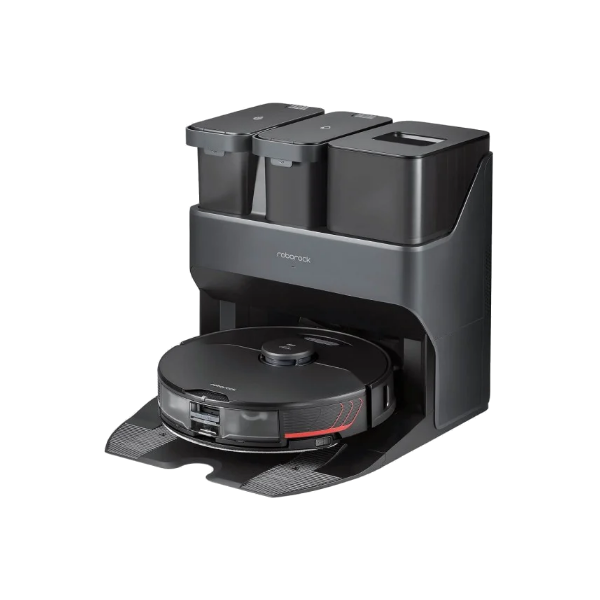
S7 MaxV

Troubleshoot charging error 13

Original source

Resource text

1. If there're some stains or rust on the charging contacts on the dock or underneath of the robot, please use a piece of cloth moistened with alcohol solution or an eraser to remove them. See attached picture "charging contact". 2. Please check if the dock charger is working or not. The indicator light in front of the dock should be solid on without the robot and off with the robot placed on it. See attached picture. Kindly double check if the cable and the slot of the dock are well connected. Please push the cable head into the slot at bottom of the dock very hard. 3. Please unplug the charging dock, and leave it there for about 2 minutes. Then please re-plug it and try again. 4. You can also try another outlet.

Ultra-contacts.png

Ultra-dock indicator.jpeg

©️ All Rights Reserved RAR Group 2026 

RAR Now Part of Smartrobotix Group logo

Start & Rent

Home
Rent

Accessories

Marketplace

Commercial

​Gift Card

​

RAR OS

RAR OS IV (Overview)

RAR OS III

Blackbox & R2 chip

Plans & Account
MyRAR

RAR One

RAR Pass

RAR All-In

​​

RAR For

Students

Businesses

Non-profits

Startups

Company

About

Environment

Newsroom

Contact

Responsibility

​

Brands

You

Market

Casa

Pludo

Payment methods accepted by RAR: Pay later services, digital wallets, international payment providers, global payment providers, RAR Pay, and more.
  • Youtube
  • TikTok
  • facebook
  • instagram
  • LinkedIn
  • X
  • Threads

©️® All Rights Reserved RAR Group 2019-2026

GDPR         Cookies        Partner Agreement        Accessibility        Terms

Rent Anything

bottom of page