top of page
Home
Rent
Rent
Vacuum & Mop Robots
Cameras
Trade In
Accessories
Commercial
Get Valentine's Day Shopping Inspiration with Gift Guide
New Services
Try our free new Autonomous Services
All-In plan
Get everything you need for a lower price
RAR One
Get RAR Max free for 3 months
RAR OS
RAR OS V
RAR OS IV (Overview)
Built-In Apps
RAR OS III
MyRAR App
RAR's Powerful OS Now Works on All Devices
Latest feature
Drones, meet your new best friend
About RAR
A dream that started in 2019, a revolution
RAR One
RAR One
Student
RAR Pass
Business
RAR All-in Plan
Nonprofits
RAR Go
Beat the holiday ques with your personal Concierge
RAR One | Spotify
One users get access to Spotify Premium
Feature Drop
Keeps getting better, price stays the same
Company
Blog
About
Enviroment
Foundation
Careers
Our plan to save a global company — iRobot
Enviroment
We're working to create a better world
About RAR
A dream that started in 2019, a revolution
Get Help
Get Help
Support Hub
Feedback
Support Hub is designed to get you the help you need
Other
Non-RAR Events
Pal (Free Preview)
RAR Support Docs
Sign In
Learn More
iRobot
Roomba 105 Vac
iRobot
EN, AR, BG, DE, ES, FR, HI, IT, NL, PL, PT, RO, SQ, SV, TR, UK, ZH
Roomba 105 Vac and Combo + AutoEmpty Dock Owner's Guide
Roomba 105 Vac and Combo + AutoEmpty Dock Owner's Guide
Roomba 105 Vac and Combo + AutoEmpty Dock Owner's Guide
Roomba 105 Vac and Combo + AutoEmpty Dock Owner’s Guide — Dock Maintenance and Troubleshooting Excerpt
Roomba 105 Vac and Combo + AutoEmpty Dock Owner's Guide
Roomba 105 Vac and Combo + AutoEmpty Dock Owner's Guide
Roomba 105 Vac and Combo + AutoEmpty Dock Owner's Guide
Roomba 105 Vac and Combo + AutoEmpty Dock Owner's Guide
Roomba 105 Vac and Combo + AutoEmpty Dock Owner's Guide
Roomba 105 Vac and Combo + AutoEmpty Dock Owner's Guide
Roomba 105 Vac and Combo + AutoEmpty Dock Owner's Guide
Roomba 105 Vac and Combo + AutoEmpty Dock Owner's Guide
Roomba 105 Vac and Combo + AutoEmpty Dock Owner's Guide
Roomba 105 Vac and Combo + AutoEmpty Dock Owner's Guide
Roomba 105 Vac and Combo + AutoEmpty Dock Owner's Guide
Roomba 105 Vac and Combo + AutoEmpty Dock Owner's Guide
Roomba 105 Vac and Combo + AutoEmpty Dock Owner's Guide
Roomba 105 Vac and Combo + AutoEmpty Dock Owner's Guide
Roomba 105 Vac and Combo + AutoEmpty Dock Owner's Guide
Roomba 105 Vac and Combo RCC-Y2 UKCA Declaration of Conformity
Roomba 105 RCC-Y2 UK PSTI Statement of Compliance
Roomba 105 RCC-Y2 AUS Cyber Security Statement of Compliance
Roomba 100/1000 Series Care Procedure Frequency
Roomba 100/1000 Series: How to Clean or Replace the Bin and Filter
Roomba 100/1000 Series: How to Clean or Replace the Main Brush
How to Clean the Charging Contacts: Roomba Mini, 100/1000, Plus 400, Plus 500, and Max 700
How do I clean Roomba cliff sensors?
How to Clean or Replace your Front Caster Wheel: All Roomba Models
Edge-Sweeping Brush Care: All Roomba Models
Roomba 100/1000 Series Software Release Notes
Child & Pet Lock
Rebooting Your Robot: All Roomba and Braava Models
Setting up your Robot with the Roomba Home App
Where to Place the Dock
Guide to ClearView LiDAR Maps
Why factory reset your robot and how to do it?
Error Message Chart for Roomba 100/1000, 200/2000, Plus 400, Plus 500, Plus 600, Max 700, and Max 800
Unboxing Guide for Roomba 100/1000, 200/2000, Plus 400, Plus 500, and Max 700
All Roomba Features and Compatible Parts
FAQ: My Roomba 105 series Is Offline
Roomba® 100/1000 Series Vac/Combo | How to Replace the Bag
Roomba® 100/1000 Series Vac/Combo | How to Remove and Reassemble the Brush Ends for Cleaning
Roomba® 100/1000 Series Vac/Combo | How to Clean the Charging Contacts
Roomba® 100/1000 Series Vac/Combo | How to Clean the Filter
Roomba® 100/1000 Series Vac/Combo | How to Clean the Front Caster Wheel
Roomba® 100/1000 Series Vac/Combo | How to Clean the Multi Surface Brush
Roomba® 100/1000 Series Vac/Combo | How to Clean the Edge Sweeping Brush
Roomba® 100/1000 Series Vac/Combo | How to Empty and Clean the Bin
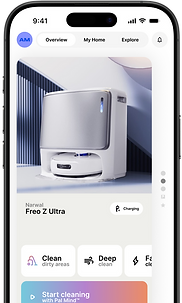
On mobile? Use the MyRAR app.
Use the MyRAR app to connect, explore, use, learn, and more, plus easy access to manuals.
Learn More
bottom of page